
COMMON SCENARIOS
This section shows a range of common scenarios/situations that you will most likely face as a member of staff, including explanations on handling them!
Griefing:
As a staff member, you will encounter griefing on the server. It's important to understand that determining whether an instance of griefing is ban-worthy or not can be subjective. View our punishment menu to see some examples of why and when a certain punishment needs to be given out.
- use the command "/p [name]’’ and click the ‘Griefing’ category. Select the offense, and dish it out.
After banning the player, be sure to take screenshots of the area and post them in the #staff-log Discord channel with the player's name and punishment.
X-Ray:
As a staff member, it's important to watch out for players who may be using x-ray. If a player is flagged or suspected of using x-ray, it's typical protocol to watch for three examples of it. This helps to provide clear evidence of x-ray in case a player appeals their punishment.
An example of x-ray is when a player mines directly towards certain ores. For instance, if a player mines a straight tunnel, takes a sudden 90-degree turn, and "runs" into diamonds, that would be considered evidence of x-ray.
A player's head movement can also be an indicator of x-ray, although it should not count towards the three examples. For example, a player moving back and forth and looking at the wall of a tunnel as if searching for visible diamonds could be considered suspicious.
Here’s an example of someone that used X-Ray, with this evidence being enough to conclude a ban. Made visible by revealing diamonds using ‘’/co rollback radius:100 t:1h block:deepslate_diamond_ore’’
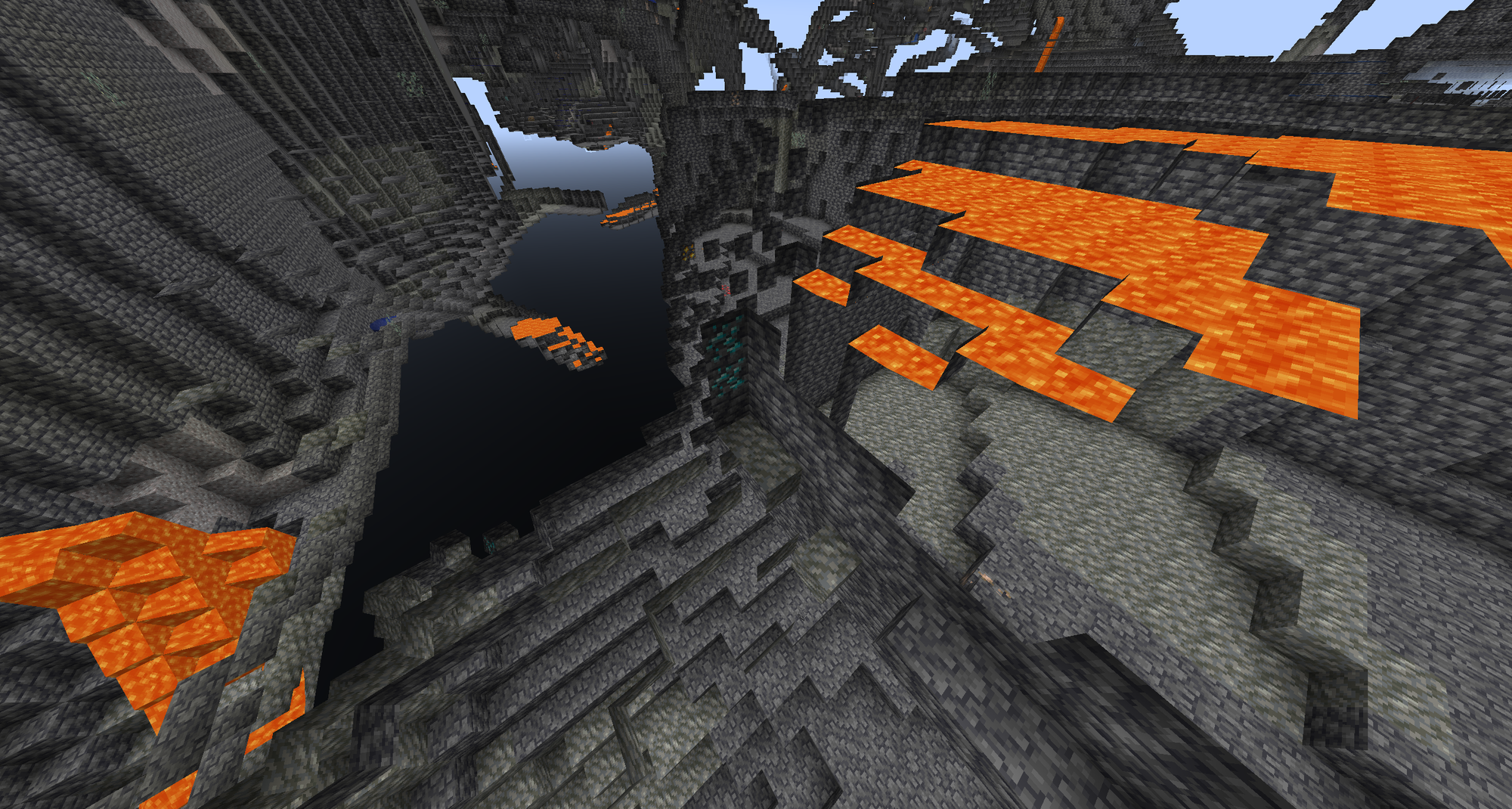
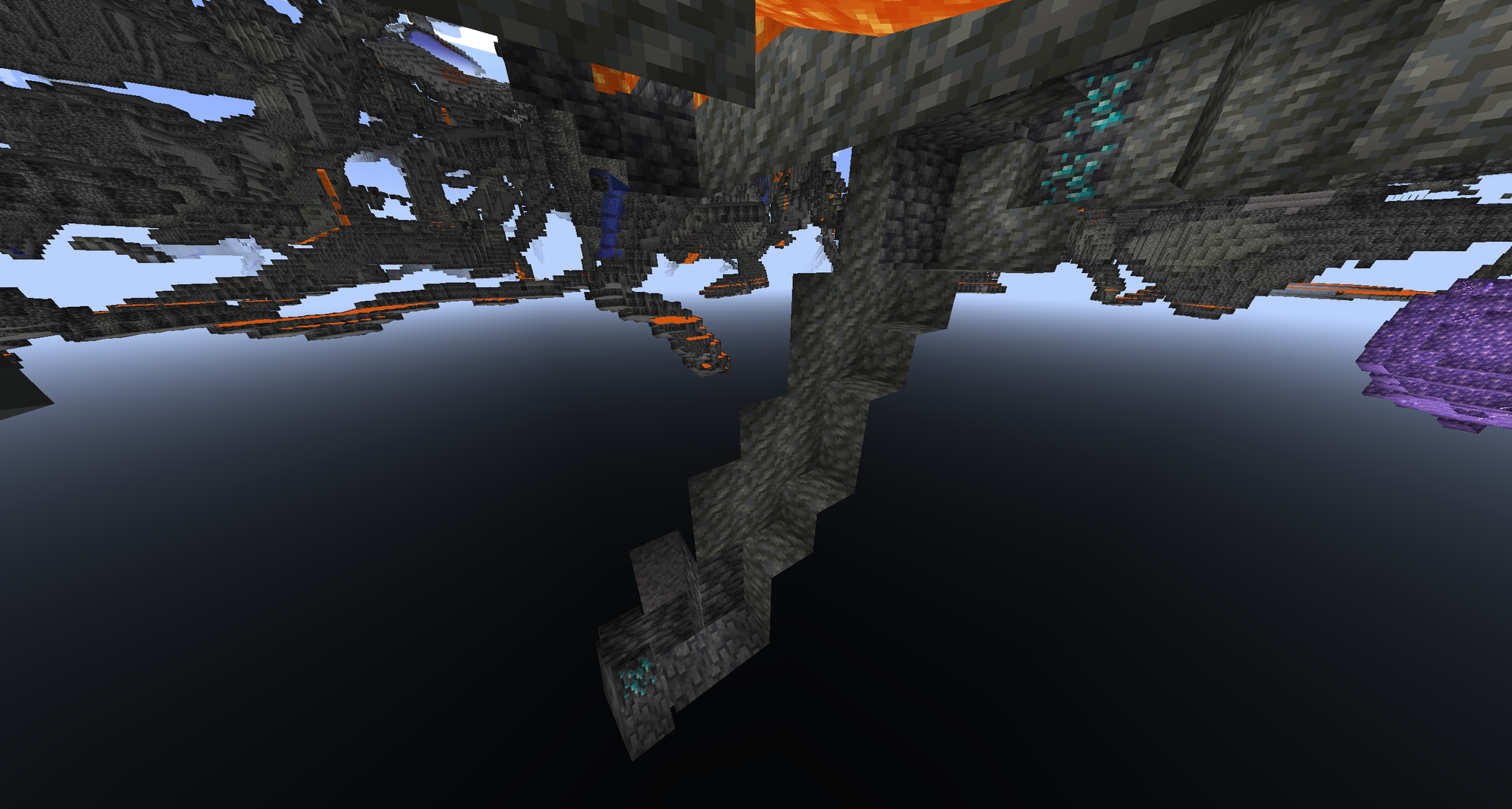
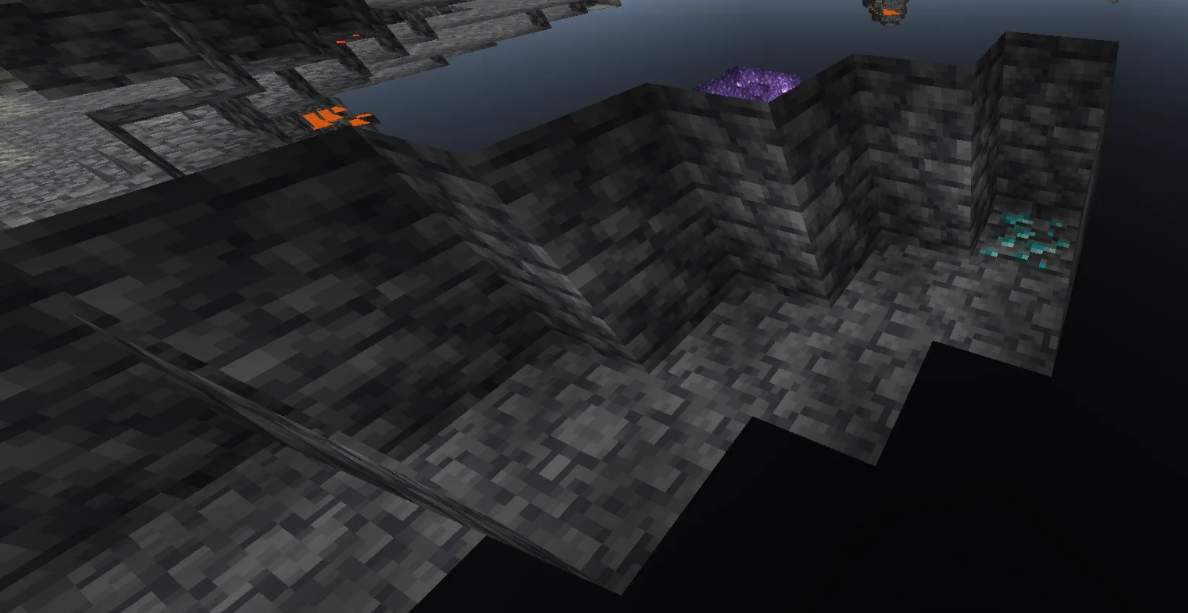
Once three examples of x-ray have been noted, use the punishment menu!
- Use the command "/p [name]’’ and click the ‘Modified Client’ category, then click x-ray, it will auto-know if it’s a players first, or second ofeense.
After banning the player, be sure to take screenshots of the tunnels and post them in the #staff-log Discord channel with the player's name and punishment.
Hacked Client:
If a player is flagged for using a hacked client, the protocol is to click on the flag in chat to vanish and teleport to the player. If the player keeps getting flagged or gets kicked and relogs without any prior history of using a hacked client, you can follow the three punishment steps as outlined in the /p or /punish menu.
- When a player is initially caught, use the command "/p [name]’’ and click the ‘Modified Client’ category, then right-click the fitting category!
- If they continue to use their hacked client after your message, use the command "/p [name]’’ again and double click the specific punishment.
Note that screenshots aren't required as #ac-alerts provide enough evidence of the use of hacked clients. Please do, however, link the alerts or add video evidence if possible.
Chat Offense
If a player starts spamming in chat (with SFW content), they should first be verbally warned. Here are some examples of how to provide a verbal warning:
- "Hey, can we please not spam the chat?"
- "Let's keep spam to a minimum."
- "Would you guys mind moving this to /msg or /l?"
If the player continues to spam the chat despite the verbal warning, follow the procedure below:
- For a first offense, use the command "/p [name]’’ and click the ‘Chat Misconduct’ category, then select the fitting offense.
Inappropriate Chat Contents:
Inappropriate chat content is strictly prohibited on our server. This includes any language or content that is considered offensive, discriminatory, or harmful towards others. Examples of inappropriate chat content include sexual references, self-harm mentions, racism, sexism, homophobia, derogatory terms of any kind, generalized hate, and excessive drug talk.
As a staff member, it is your responsibility to monitor chat and take action if inappropriate content is detected. If you notice any inappropriate chat content, you should immediately issue a verbal warning to the player. In more severe cases, such as the use of slurs, racism, sexism, or other extreme toxic behavior, the punishment menu provides you with plenty of options to tackle this. For example:
- Use the ‘’/cc’’ command to clear the chat.
- After this, issue a ban using the ‘’/p’’ menu, with the right punishment, of course.
If the inappropriate chat content is not as severe, you should still issue a strike and take appropriate action by using the ‘Chat Misconduct’ category in the Punishment GUI.
Remember, maintaining a safe and respectful environment for all players is our top priority, and as a staff member, you play a crucial role in ensuring this goal is met.
Ban Appeals:
Appeals are usually handled by moderators and up while helpers provide their stance on the matter in channels such as staff logs or staff chat. Each appeal should be handled differently depending on the player’s conduct, evidence collected, and anything further the player brings up that would need to be further investigated.